



Chris Crain Dodge Jeep RAM Benton

Blog / Jeep Technology

Top 5 Tech Features Every Jeep Owner Should Know About

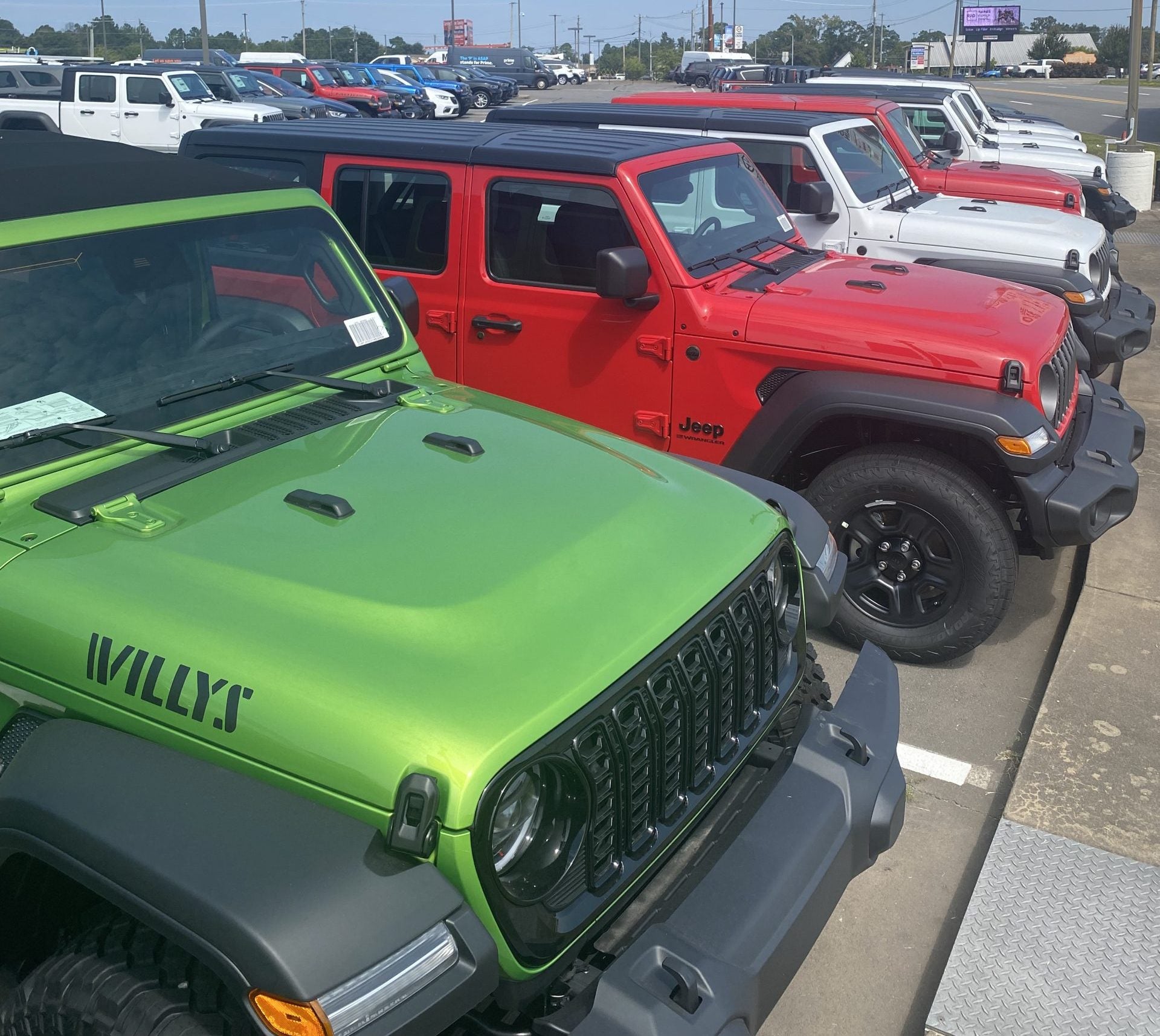
New Jeep Vehicles at Chris Crain Chrysler Dodge Jeep Ram in Benton AR

Jeep vehicles are famous for their toughness and ability to handle almost anything. But modern Jeeps are more than just rugged—they’re filled with innovative technology that makes driving easier, safer, and more fun. At Chris Crain Chrysler Dodge Jeep Ram, let’s take a look at the top five tech features every Jeep owner should know about. These tools are designed to help drivers in Jacksonville, Cabot, Bryant, Alexander, and beyond get the most out of their Jeep.

1. Uconnect Infotainment System

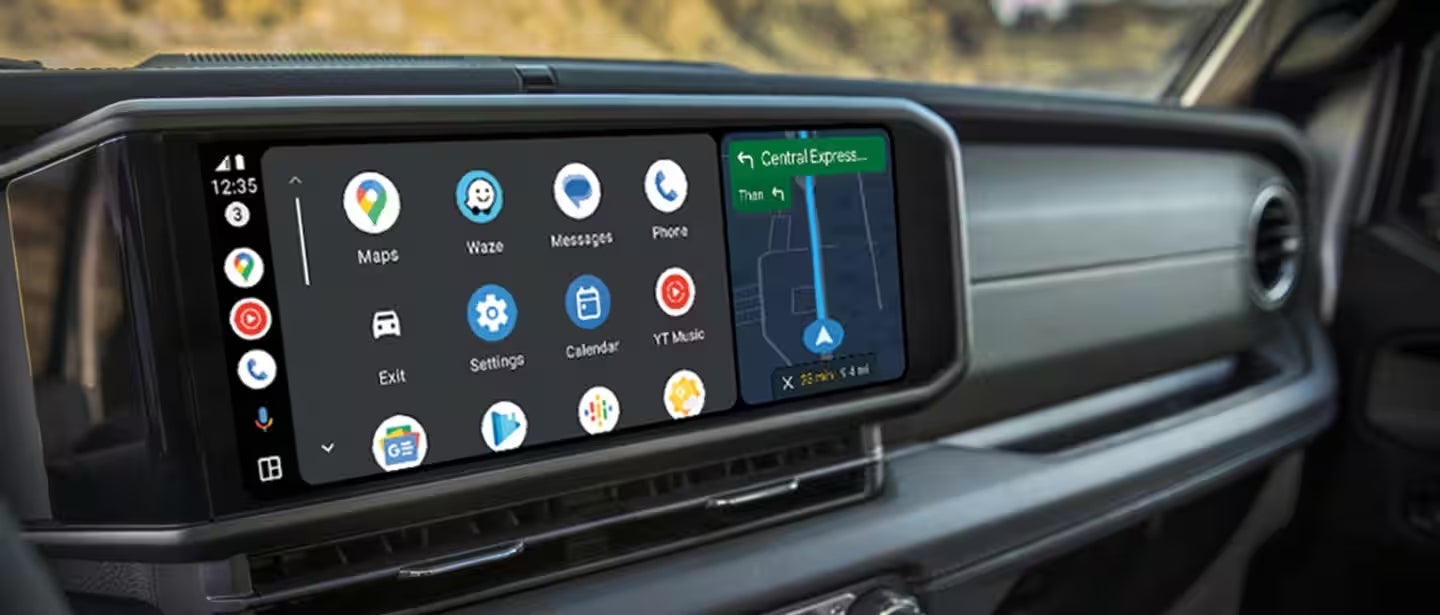
The Uconnect system is at the heart of Jeep technology. It combines entertainment, navigation, and communication into one easy-to-use setup. With a touchscreen, voice controls, and steering wheel buttons, you can manage your music, calls, and apps without being distracted.

Some of the best parts of Uconnect include:

  • Apple CarPlay and Android Auto: Sync your phone to access apps, maps, and playlists.
  • Built-in Navigation: Get turn-by-turn directions and real-time traffic updates when driving through Cabot or Bryant.
  • Voice Commands: Control your Jeep hands-free by speaking simple commands.

No matter if you’re on your way to North Little Rock for work or heading out on a weekend road trip, Uconnect keeps you connected and in control.

Check out how to set up your Uconnect in your Jeep!

2. Jeep Off-Road Pages

Jeep owners love adventure, and the Off-Road Pages feature is made for just that. Found in vehicles like the Wrangler and Gladiator, Off-Road Pages show you essential details about how your Jeep performs off the pavement.

You’ll see things like:

  • Pitch and roll angles
  • Suspension movement
  • Steering angle
  • Drivetrain details

If you’re exploring trails near Maumelle or Alexander, this feature gives you the confidence to take on rocky paths, mud, and hills with ease.

3. Advanced Safety Features

Technology isn’t just for fun—it also helps keep you safe. Jeep includes advanced driver-assist features to protect you and your passengers on every trip.

Here are a few of the most helpful systems:

  • Blind Spot Monitoring: Warns you if another car is in your blind spot—very useful in heavy traffic near Jacksonville or North Little Rock.
  • Adaptive Cruise Control: Adjusts your speed to keep a safe distance from the car ahead.
  • Forward Collision Warning: Alerts you if a crash is likely and can apply the brakes for you.
  • Rear Cross Path Detection: This feature is beneficial when backing out of parking spots in areas like Cabot or Bryant.

These features give you more confidence and peace of mind whether you’re driving around town or on the highway.

4. Selec-Terrain Traction System

Jeeps are renowned for their 4x4 capabilities, and the Selec-Terrain system enhances this even further. With just the turn of a dial, you can switch between different driving modes to match the road or weather conditions.

The modes include:

  • Auto: Great for everyday driving in Benton or Bryant.
  • Snow: Perfect for icy winter roads.
  • Sand/Mud: Helps when exploring trails near Maumelle or Alexander.
  • Rock: Gives maximum traction for challenging off-road adventures.

This system proves Jeep is ready for both city streets and wild trails.

5. Jeep’s Remote Connectivity

With the Uconnect app, Jeep owners can control their vehicle even when they’re not inside it. Right from your phone, you can:

  • Start your Jeep remotely on hot days in North Little Rock.
  • Lock or unlock the doors from anywhere.
  • Find your Jeep in crowded parking lots in Jacksonville or Cabot.
  • Check fuel, tire pressure, and maintenance alerts from home in Bryant or Alexander.

It’s convenience and peace of mind at your fingertips.

Why These Features Matter

For drivers in Benton, North Little Rock, Maumelle, Jacksonville, Cabot, Bryant, and Alexander, these Jeep tech features are more than just cool—they make everyday driving easier and safer. Whether you need reliable navigation, off-road guidance, or advanced safety, Jeep’s technology is designed to keep up with your busy life in Arkansas.

Experience Jeep Tech at Chris Crain Chrysler Dodge Jeep Ram

To experience these features firsthand, visit Chris Crain Chrysler Dodge Jeep Ram in Benton, AR. Our team is ready to show you the latest Jeep models and explain how each technology works. From hands-on demos to test drives, we’ll help you find the Jeep that fits your needs.

Jeep vehicles are more than just rugged SUVs—they’re packed with innovative technology that improves every drive. From the Uconnect system to Off-Road Pages, safety tools, Selec-Terrain, and remote features, Jeep gives you everything you need to enjoy both city driving and outdoor adventures.

Come to Chris Crain Chrysler Dodge Jeep Ram in Benton, serving North Little Rock, Maumelle, Jacksonville, Cabot, Bryant, and Alexander, and see why Jeep’s technology is the perfect match for your lifestyle.
Posted in:

Related Posts

Close-up of Jeep steering wheel showing Adaptive Cruise Control (ACC) button on the right side

How to Use Jeep's Adaptive Cruise Control

Drive Smarter with Jeep's Adaptive Cruise Control Adaptive Cruise Control (ACC) is one of the most advanced safety features available in today’s Jeep vehicles. Unlike traditional cruise control systems, Jeep’s ACC automatically adjusts your speed to maintain a safe distance from the car ahead — improving both safety and comfort on the road. At Chris Crain Chrysler Dodge Jeep Ram Fiat in Benton, Arkansas, we’re here to help you understand how this feature works and why it could be a game-changer for your daily drive or weekend adventures. What Is Adaptive Cruise Control (ACC)? ACC uses radar or laser-based sensors to monitor the vehicles in front of you. While standard cruise control maintains a set speed, Jeep’s ACC takes it further by slowing down or speeding up automatically depending on traffic conditions. How It Works: Detects vehicles ahead using built-in sensors Adjusts your vehicle's speed to maintain a pre-set following distance Brakes or reduces engine power when necessary Returns to your set speed when the road clears This smart system is ideal for highway cruising, long-distance travel, and stop-and-go city traffic. Top Benefits of Jeep’s Adaptive Cruise Control ✅ Safer Driving By automatically managing your speed and distance, ACC helps reduce the risk of rear-end collisions, which are often caused by human error or slow reaction times. ✅ Less Driver Fatigue On long drives, ACC reduces the mental load by handling speed adjustments and braking — making it easier to stay focused and relaxed behind the wheel. ✅ Smoother Commutes In heavy traffic, ACC helps you maintain a steady flow without constantly tapping the brakes or gas. It’s especially helpful for stop-and-go conditions. ✅ Better Fuel Efficiency By promoting smoother acceleration and braking, ACC can contribute to more efficient fuel use over time. How To Use Jeep’s Adaptive Cruise Control Step-by-Step Guide: Activate the System Press the ACC On/Off button on the steering wheel. A notification on your instrument panel will confirm it’s ready. Set Your Speed Use the SET+ or SET- buttons to choose your cruising speed. This will appear on the driver display. Choose Your Following Distance Use the distance adjustment buttons (usually shown as bars or icons) to set how closely you want to follow the vehicle ahead. You can choose from 1 to 4 bars, depending on your comfort level. Monitor the System Once active, ACC will automatically adapt to traffic conditions. You may see alerts like “System Cancel” or “Proximity Warning” if manual input is needed. Deactivate When Needed Press the On/Off button again to disable ACC. You can also override it by pressing the brake or accelerator at any time. Tips for Using ACC on the Road Even though ACC automates some aspects of driving, you remain in control. Keep these tips in mind: 🔍 Stay alert: ACC does not steer — you're still responsible for steering and being aware of road conditions. ⚠️ Use caution in bad weather: Rain, snow, or fog can interfere with sensors. Manual control is recommended in harsh weather. 🚘 Override when needed: You can always take control by braking or accelerating as needed. BROWSE OUR NEW JEEP INVENTORY WITH ACC IN BENTON, AR Try Jeep’s Adaptive Cruise Control at Chris Crain CDJRF Want to see Jeep's Adaptive Cruise Control in action? Stop by Chris Crain Chrysler Dodge Jeep Ram Fiat in Benton, AR for a hands-on demo and test drive. 📍 Schedule your test drive today 📞 Contact our team with questions about availability 🚘 Browse new Jeep inventory and find your perfect model 💰 Apply for financing online to save time at the dealership Make every mile safer and smarter with Jeep's Adaptive Cruise Control — only at Chris Crain CDJRF in Benton.

Jeep Uconnect

How To Connect Your Phone to Jeep UConnect: A Step-by-Step Guide

Why Connect Your Phone to Jeep UConnect? Connecting your smartphone to Jeep UConnect transforms your driving experience. With UConnect, you can enjoy: Hands-free calling and texting Music streaming from your favorite apps Navigation and real-time directions Voice command controls At Chris Crain Chrysler Dodge Jeep Ram Fiat in Benton, AR, we believe in making your drive smarter and safer. Here’s your easy guide to pairing your phone and exploring everything UConnect has to offer! What Is Jeep UConnect? UConnect is Jeep’s premium infotainment system that blends entertainment, connectivity, and convenience into one smart, easy-to-use touchscreen. Available on popular models like the Jeep Wrangler, Jeep Grand Cherokee, Jeep Compass, and Jeep Gladiator, UConnect keeps you connected without distraction. With UConnect, you can: Make and receive calls Send and read text messages Stream music and podcasts Get GPS navigation Use advanced voice commands Preparing Your Smartphone for UConnect Before pairing, make sure your phone is ready: Turn on Bluetooth — Go to your phone’s Settings and switch Bluetooth ON. Make your phone discoverable — In Bluetooth settings, allow your phone to be visible to new devices. This setup ensures your Jeep's UConnect system can find and connect to your phone easily. How To Access UConnect Settings in Your Jeep Ready to pair? Here’s how to open the UConnect menu: Tap the Phone icon on your Jeep’s touchscreen. Choose Settings or Phone Settings. Select Paired Phones or Bluetooth Devices. Tap Add Device or Pair a Phone to start the connection process. Tip: If you can’t find the menu, check your Jeep’s owner’s manual or the UConnect website for model-specific help. Pairing Your Phone with UConnect Follow these steps to complete the connection: Open your phone’s Bluetooth settings. Look for " UConnect " in the list of available devices. Tap "UConnect" to connect. Enter the PIN code shown on the UConnect screen (if prompted). Confirm the connection — your phone is now paired! You may also be asked to allow access to contacts, call history, and texts. Accepting these permissions gives you full hands-free functionality. Syncing Contacts and Music Once paired, you can sync your phone’s data: Contacts — Go to the UConnect phone menu, select “Contacts,” and sync your address book for easy hands-free calls. Media — Connect via USB or Bluetooth, then tap “Media” on the screen to stream your playlists, podcasts, and more. Having everything at your fingertips makes every drive easier and safer! Common UConnect Connection Problems and How to Fix Them Running into trouble? Here are some quick fixes: Failed connection: Restart your phone and Jeep, delete the UConnect profile from your phone, and try pairing again. Incompatible devices: Some older phones may not work. Check Jeep’s list of supported devices if you're unsure. Poor audio quality: Disconnect and reconnect Bluetooth, check volume settings, and make sure nothing is muted. Still stuck? Visit our team at Chris Crain CDJRF — we’ll help troubleshoot it for you! Bonus Features of UConnect Your UConnect system can do even more: Voice Commands: Make calls, send texts, change music, or set a destination with simple voice commands. Navigation: Send directions from your phone's map app straight to UConnect. SiriusXM Radio: Enjoy endless music, news, sports, and entertainment with built-in SiriusXM compatibility. UConnect keeps you entertained and in control — without ever taking your hands off the wheel. Visit Chris Crain CDJRF for UConnect Help and More! Need help setting up your phone, learning UConnect features, or want a hands-on demo? Visit Chris Crain Chrysler Dodge Jeep Ram Fiat in Benton, AR! Our experts can walk you through everything, show you additional Jeep technology features, and even set up your next test drive. Contact us today — and discover how easy and fun it is to stay connected with Jeep UConnect!

Color-coded Jeep dashboard warning light symbols including battery, check engine, oil pressure, ABS, tire pressure, and more

Jeep Warning Lights Guide: What They Mean & What To Do

Understanding Jeep Dashboard Warning Lights Your Jeep’s dashboard is your first line of defense when something isn’t right under the hood. Whether it’s low tire pressure or a critical engine issue, knowing what your warning lights mean can prevent serious problems and keep you safe on the road. At Chris Crain Chrysler Dodge Jeep Ram Fiat in Benton, AR, we’re committed to helping drivers stay informed and proactive. This comprehensive guide breaks down the most common and lesser-known Jeep warning lights — and what steps to take when they appear. BROWSE OUR NEW JEEP INVENTORY HERE IN BENTON, AR! Common Jeep Dashboard Warning Lights 🔧 Check Engine Light Symbol: Yellow outline of an engine What it means: Emissions issue, misfire, or sensor malfunction What to do: If it’s flashing, stop driving immediately. Otherwise, schedule a diagnostic service soon to avoid long-term engine damage. 🛢️ Oil Pressure Warning Light Symbol: Red oil can What it means: Low oil pressure or low oil level What to do: Turn off the engine, check oil levels, and refill if needed. Continuing to drive could cause severe engine damage. 🔋 Battery Warning Light Symbol: Red battery icon What it means: Electrical or charging system issue What to do: Check the battery and alternator. If the light remains, have the system tested to avoid stalling. 🌡️ Engine Temperature Warning Light Symbol: Thermometer in water What it means: Engine is overheating What to do: Pull over, turn off the engine, and allow it to cool. Check the coolant level. Avoid driving until the issue is resolved. ⚠️ Tire Pressure Monitoring System (TPMS) Light Symbol: Yellow exclamation mark inside a tire What it means: One or more tires are underinflated What to do: Check and adjust tire pressures to the recommended PSI to prevent tire damage and improve handling. 🛑 Brake System Warning Light Symbol: The word “BRAKE” or an exclamation point in a circle What it means: Low brake fluid or a system malfunction What to do: Check brake fluid. If brakes feel unresponsive, stop driving and contact our service team immediately. 🅿️ Electric Park Brake Warning Symbol: Red “P” in parentheses What it means: Issue with the electronic parking brake What to do: Avoid using the parking brake and schedule a professional inspection to ensure safe parking and hill-hold function. Less Common Jeep Warning Lights 🚙 Service 4WD Light Symbol: “SERV 4WD” What it means: Problem with the 4WD system What to do: May affect off-road capability. Get it inspected to restore traction control and drive mode performance. 🚪 Door or Gate Ajar Indicator Symbol: Car outline with open door(s) What it means: A door, tailgate, or liftgate is not closed properly What to do: Check all latches and sensors. An open door can drain the battery or trigger dome lights. 🏞️ Trailhawk-Specific Warning Lights What they mean: Custom off-road mode indicators, suspension warnings, or differential lock statuses What to do: Understand these if you’re off-roading in a Trailhawk model. Refer to your manual or speak with a Jeep specialist. 🔒 Locking Differential Warning What it means: Activated or malfunctioning differential lock system What to do: If the light flashes or stays on unexpectedly, check functionality or have it serviced. ⚙️ Transmission Temperature Light Symbol: Thermometer in a gear What it means: Transmission is overheating What to do: Pull over, let the vehicle cool, and check transmission fluid. Seek service immediately if overheating continues. What To Do When a Jeep Warning Light Comes On Some lights mean you need immediate action: Flashing Check Engine Light: Stop driving and call for a tow — this could signal a severe misfire or engine issue. Brake Warning Light: If brakes feel soft or unresponsive, do not drive. Call our service center immediately. Transmission or Temperature Warnings: Let the vehicle cool down and schedule a diagnostic inspection. Maintenance Tips for Avoiding Warning Lights 🔋 Check battery terminals for corrosion and tightness 🌡️ Keep fluids — oil, brake, coolant — at recommended levels 🛞 Monitor tire pressure monthly or before long trips 🧰 Use OBD-II scanners or Jeep Uconnect apps for at-home diagnostics These simple steps can prevent unexpected dashboard lights and reduce costly repairs. Need Help With a Dashboard Warning Light? Visit Chris Crain CDJRF in Benton At Chris Crain Chrysler Dodge Jeep Ram Fiat, our certified technicians are equipped to diagnose and resolve any Jeep warning light quickly and professionally. Whether it’s a simple sensor issue or something more serious, we’ll get you safely back on the road. 📅 Schedule your service appointment today 📍 Visit our service center in Benton, Arkansas 📞 Contact us online with your questions Stay informed, stay safe, and trust Chris Crain CDJRF for all your Jeep service needs.